Mar 18, 2026
Virtual Staging for Airbnb: Pre‑Market & Start Booking
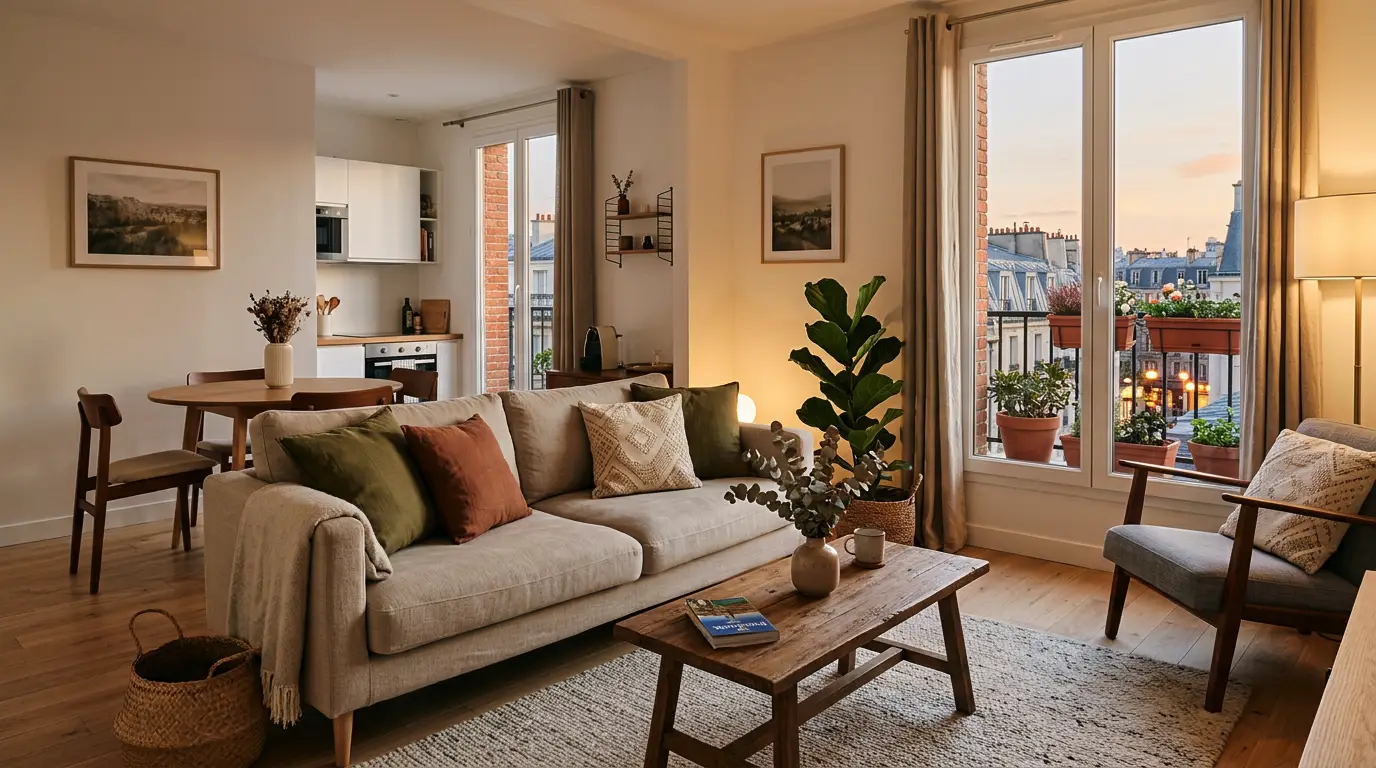
Your calendar is empty, the mortgage isn’t. Every week an unfurnished property sits idle is lost revenue you’ll never recover. Think of it this way: even a modest $170 ADR at 57% occupancy is roughly $680 in potential gross revenue per week. Multiply that by a 4–6 week furnishing delay and you’re staring at $2,700–$4,000 slipping away before your first guest checks in. There’s a faster path: pre‑market the home now using virtual staging, open your calendar, and start collecting bookings before the sofas show up.
A 90‑second pre‑marketing play
Capture high‑resolution photos of the empty rooms (landscape, well lit, multiple angles per space).
Create staged images from those photos; prepare two visual themes for testing.
Label every staged image clearly in captions and the listing body; include the original photo next.
Publish with accurate description; open the calendar starting on or after furniture arrival.
A/B test your cover photo themes for at least 14 days or until each hits a reasonable impression threshold.
Keep the winner, iterate pricing, and update messaging as furniture arrives.
Shoot it right when the home is empty
You’ll only get one chance to capture the property before it’s full of boxes. Use natural daylight, shoot wide (roughly a 24–28mm full‑frame equivalent), stabilize the camera, and bracket exposures if needed. Cover every guest‑facing area: living, dining, kitchen, each bedroom and bath, workspace, entry, outdoor spaces, and key amenities. Save files at high resolution in landscape orientation; Airbnb and Vrbo both recommend large, crisp images for best results. For platform guidance, see Airbnb’s listing accuracy and photo tips in the Resource Center — for example, the guidance on refreshing your listing — and Vrbo’s photo guidelines for resolution suggestions.
Pro tip: Name files consistently (e.g., 01‑living‑wide‑empty.jpg; 01‑living‑wide‑staged‑coastal.jpg; 01‑living‑wide‑staged‑boho.jpg) so you can pair originals with staged versions without hunting.
Virtual staging workflow that scales
Start with your best angles and clean, evenly lit shots. Then move fast: the goal is to generate two high-quality themes from the same base photo so you can test what actually drives clicks.
Here’s the repeatable workflow using Collov AI:
Select rooms that sell the stay (your cover photo is usually the living room or primary bedroom).
Upload the empty-room photo into Collov AI — Virtual Staging.
Choose a one-click style template (for example, Coastal and Boho).
Generate Variant A and Variant B from the same angle so all non-image factors stay identical.
If you’re staging multiple shots of the same room, use Collov AI’s multi-angle consistency feature so furniture choices stay aligned across different camera views.
Export high-resolution JPEGs optimized for marketplace upload.
In your gallery, place each staged image immediately next to its original and add a clear caption disclosure (see the compliance section below).
For plan details and credits, review Collov AI — Pricing.
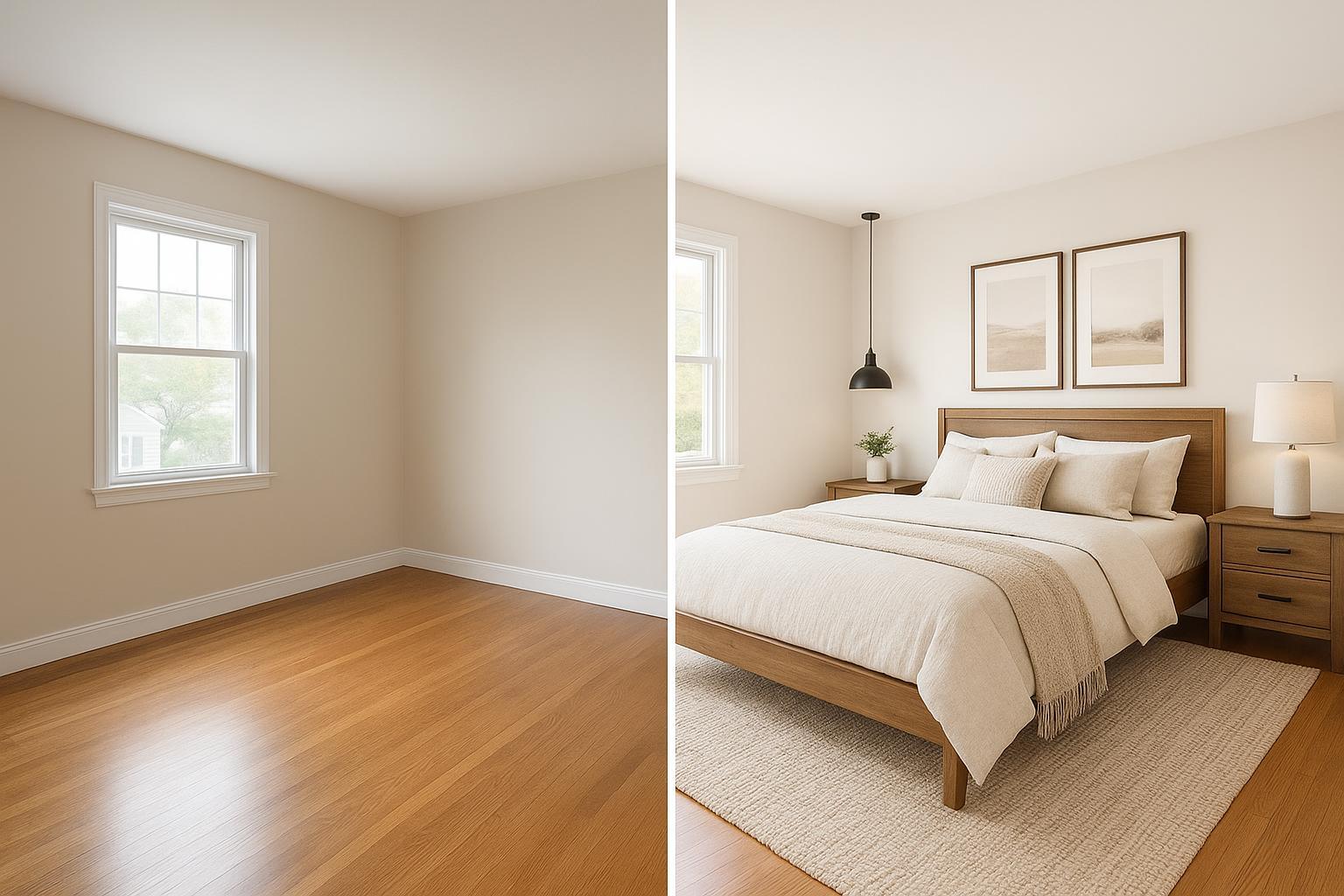
[Image Placeholder: Empty bedroom vs. the same room staged with a high‑end "Modern Farmhouse" template using Collov AI, formatted for an Airbnb cover photo.]
A/B test two design themes to win the cover photo
Your cover photo does the heavy lifting in search results. Set up a simple experiment by creating two variants of the same scene (e.g., Coastal vs. Boho) so the only change is the visual theme. Run each variant for at least 14 days or until you hit ~300–500 impressions per variant (extend if traffic is low). Track thumbnail CTR as the primary metric; monitor booking rate and realized ADR as secondary metrics. Keep price, title, fees, and availability stable during the test window. Using Collov AI makes A/B testing effortless. Its one-click templates let you spin up multiple high-end cover-photo candidates in seconds while keeping the look consistent across angles, so your testing stays fast, clean, and scalable. Log dates, impressions, CTR, bookings, and ADR in a simple tracker so you can declare a clear winner and move on.
Why this works: Higher‑quality, more compelling photos correlate with more demand on Airbnb. A peer‑reviewed study linked improved listing imagery with an approximately 9% occupancy increase across thousands of properties over 16 months, suggesting visuals materially affect performance. See the 2021 Management Science/INFORMS research: What Makes a Good Image? Airbnb Demand Analytics.
Modeled ROI: what 2–6 saved weeks can recover
Use a simple directional model to estimate revenue you can recover by launching earlier with virtual staging.
Formula (directional): Revenue recovered ≈ ADR × Expected occupancy × Nights saved − incremental costs
Assumptions for examples below:
ADR: $170 (replace with your local figure)
Expected occupancy during the saved period: 56.9% (U.S. 2025 average per AirDNA’s U.S. Review (Dec 2025))
Incremental costs: nominal for staging and photo capture in this scenario; adjust as needed.
Example 1 — Save 2 weeks (14 nights):
Nights booked ≈ 14 × 0.569 ≈ 8 nights
Gross revenue ≈ 8 × $170 ≈ $1,360
Less minor costs (say $60–$150): Directional net ≈ $1,210–$1,300
Example 2 — Save 6 weeks (42 nights):
Nights booked ≈ 42 × 0.569 ≈ 24 nights
Gross revenue ≈ 24 × $170 ≈ $4,080
Less minor costs (say $120–$300): Directional net ≈ $3,780–$3,960
Sensitivity: If your ADR is $140 or $220, scale linearly. If your occupancy during the saved period is seasonally higher or lower than the national average, adjust the factor accordingly. Treat this as directional planning, not a guarantee.
Disclosure and compliance you can trust
Accuracy is the rule on both platforms. Airbnb requires that listing photos and descriptions accurately represent the space; content edited to add non‑existent attributes or mislead can be removed — see Airbnb’s Ground rules for Hosts (Listing accuracy). Vrbo’s marketplace and partner‑provided content standards emphasize accurate, transparent representation and prohibit misleading imagery — see Vrbo’s Marketplace Standards and Partner‑Provided Content Policy.
Strong disclosure pattern (recommended):
Photo caption, placed near each staged image: “This image is virtually staged to illustrate furniture layout and style. See the original, unedited room photo next.”
Listing description (top third): “Some photos are virtually staged to show furnishing options. All staged images are clearly labeled; original room photos are available in the gallery and upon request.”
Pre‑booking message (automated): “Note: Certain images in our listing are virtually staged to visualize layout and décor. The home will match the layout, dimensions, and finishes shown; furnishings may differ. Unedited photos are linked in the gallery.”
If you operate in California, build toward AB 723 compliance effective 2026: conspicuously label altered images (e.g., “Digitally altered”), and pair each with the original image immediately following it in the gallery or link to an accessible set of originals. For MLS‑aligned guidance summaries, see SDMLS on AB 723 requirements and CRMLS Digitally Altered Image FAQs.
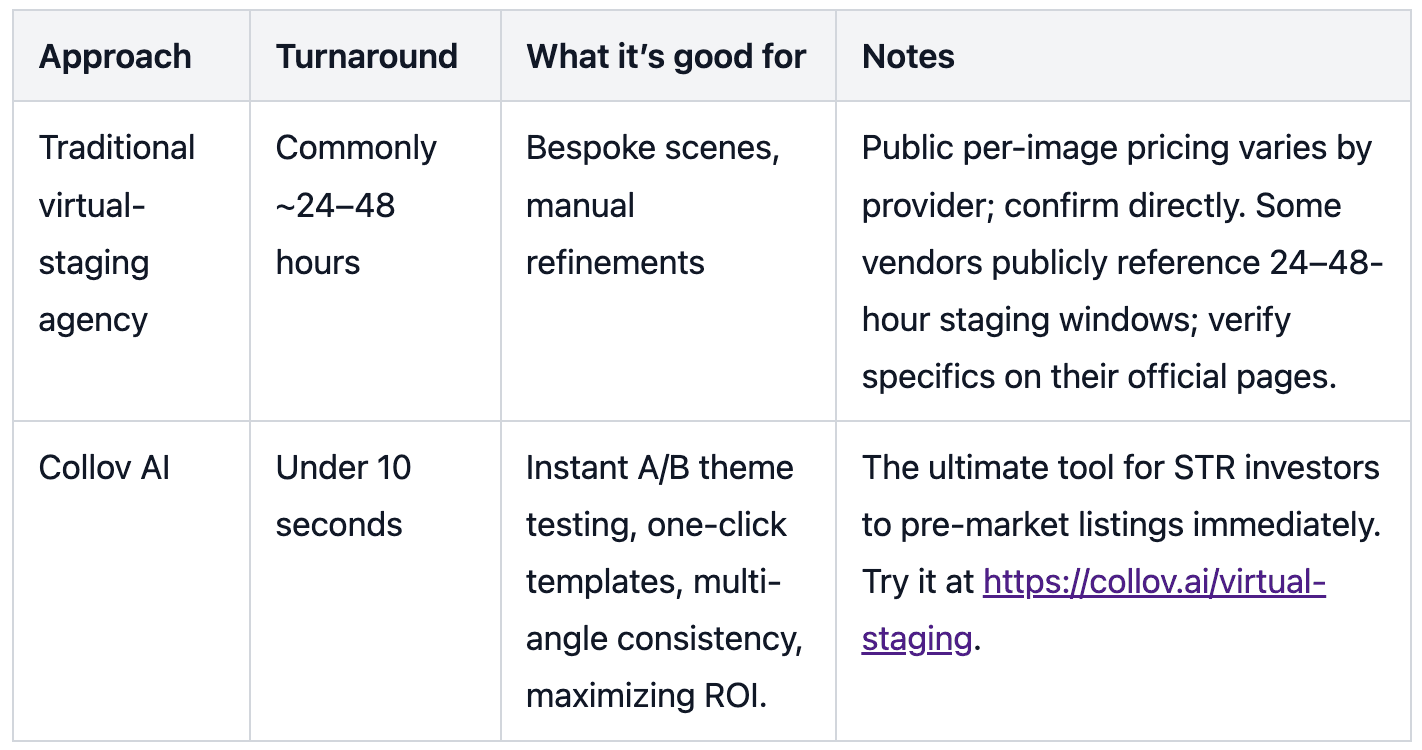
Tools and costs at a glance
Common pitfalls and how to avoid them
Avoid over‑promising with staging: Don’t add amenities or architectural features that don’t exist. Keep layouts faithful to the real space. Disclose clearly, or guests may feel misled — risking poor reviews and platform action. Keep the gallery consistent; a jumble of angles and moods confuses shoppers, so choose one winning theme and apply it across priority rooms. Don’t rush the test: calling a winner after a handful of impressions leads to noise, so give each variant time and traffic. Finally, use message templates to set expectations so guests aren’t surprised by furniture differences on arrival.
Next steps
Every day your listing sits empty waiting for furniture is money lost. Stop waiting and start pre-marketing. Stage your empty rooms, run your A/B tests, and open your booking calendar today. Generate your first high-end variant in 10 seconds with Collov AI — Virtual Staging.
References and policy notes cited in this guide include Airbnb’s accuracy ground rules (2025), Vrbo’s marketplace/content standards, California AB 723 MLS summaries (effective 2026) for altered‑image labeling, the INFORMS/Management Science study on Airbnb imagery and demand (2021), and AirDNA’s 2025 U.S. occupancy benchmark for modeling. Where provider pricing was not publicly listed on official pages, we avoided quoting figures and recommend confirming directly with vendors.